- YNAB, Monarch Money, Copilot, Rocket Money, Simplifi, and PocketGuard all rely on Plaid for automatic bank syncing — and Plaid barely works outside the US and Canada.
- Mint, once the most popular free budgeting app, was shut down by Intuit in January 2024 and has no direct replacement.
- Prices range from fully free (Goodbudget, EveryDollar, Rocket Money's base tier) to roughly $109/year for YNAB.
- Copilot Money has no Android app — iPhone and Mac only.
- Manual, envelope-style apps like Goodbudget and EveryDollar work in any country, since they don't depend on a bank connection at all.
The best budgeting app is whichever one matches your actual spending behavior, not whichever one tops a "best of 2026" list. YNAB fixes overspending through zero-based budgeting. Monarch Money is built for couples. Rocket Money passively tracks and cancels subscriptions. Copilot delivers the sharpest AI categorization, but only on iPhone. And a growing number of people — anyone outside the US and Canada, in particular — can't use automatic bank sync at all, a limitation most comparison articles never mention.
This piece compares seven real options on price, features, and platform, then breaks down which one fits which kind of spender, including the honest limitation around international bank access and where a free, bank-independent tool still wins.
What Actually Matters When Choosing
Three questions decide which budgeting app is right for you, and none of them is "which one has the best reviews": do you want to actively plan every dollar or passively track what already happened, do you need to share the budget with a partner, and does the app's bank-sync actually work in your country? Getting these three right eliminates most of the field before price even enters the conversation.
Zero-based budgeting apps like YNAB assign every dollar a job before you spend it, which suits people trying to break an overspending habit but demands more upfront setup. Passive-tracking apps like Rocket Money and PocketGuard categorize spending automatically after the fact and surface a "safe to spend" number, which suits people who mainly want visibility without active planning. Neither approach is objectively better — they solve different problems.
Seven Apps Compared
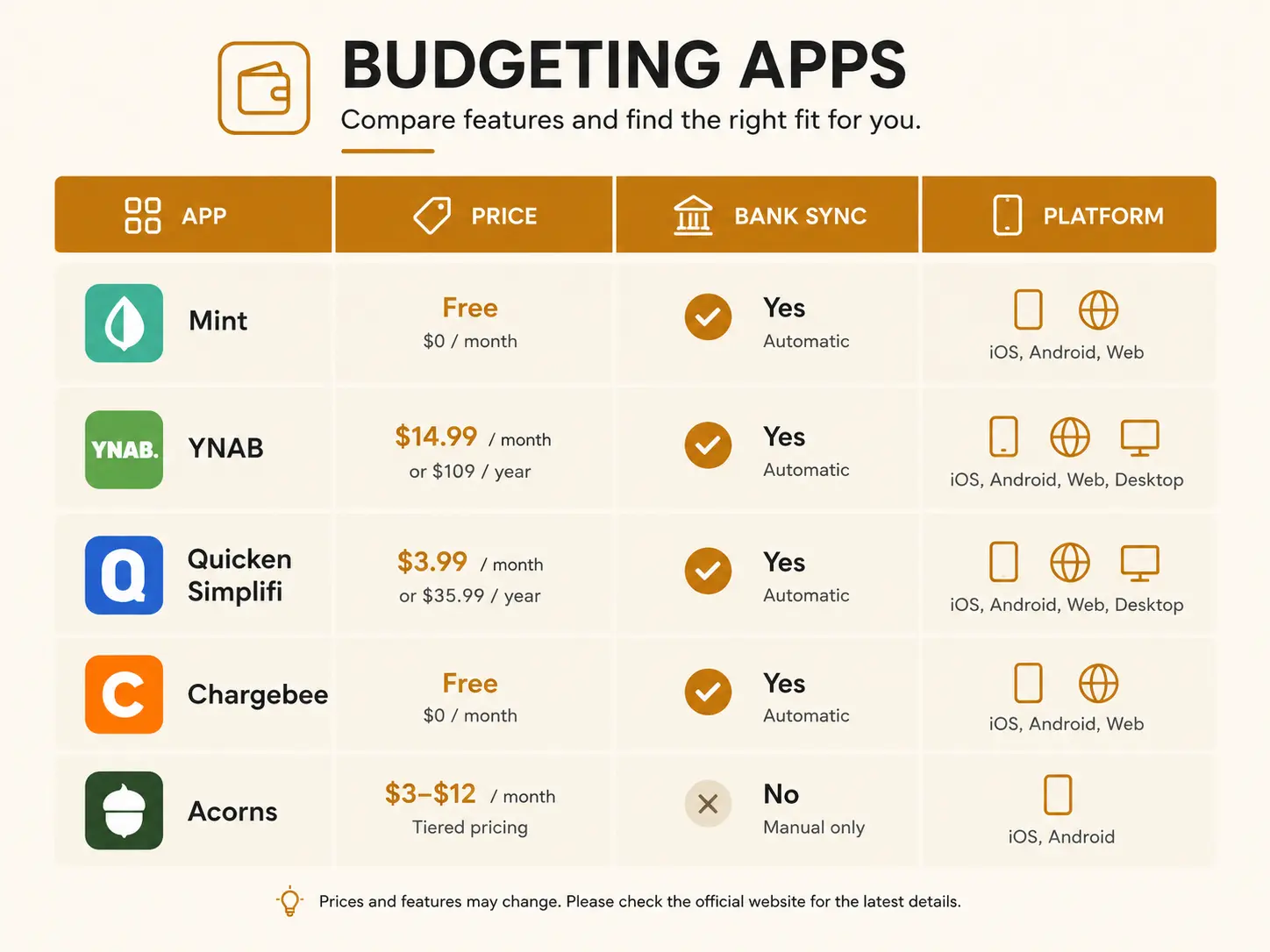
YNAB and Monarch Money sit at the top of the price range around $99-109 a year, Simplifi and Rocket Money's base tier are the cheapest paid options, and Goodbudget and EveryDollar are free for core budgeting with optional paid upgrades.
| App | Best for | Price | Bank sync | Platforms |
|---|---|---|---|---|
| YNAB | Zero-based budgeting discipline | $14.99/mo or $109/yr | US/Canada (Plaid) | iOS, Android, web |
| Monarch Money | Couples & shared finances | $14.99/mo or $99.99/yr | US/Canada (Plaid) | iOS, Android, web |
| Copilot | Deepest AI categorization | $13/mo or $95/yr | US/Canada (Plaid) | iOS, Mac only — no Android |
| Rocket Money | Subscription tracking & cancellation | Free tier, or $7-14/mo (pay-what-you-want) | US/Canada (Plaid) | iOS, Android, web |
| Simplifi by Quicken | Budgeting + net worth, lower price | ~$47.88-71.88/yr (annual only) | US/Canada (Plaid) | iOS, Android, web |
| PocketGuard | "Safe to spend" number | $12.99/mo or $74.99/yr | US/Canada (Plaid) | iOS, Android, web |
| Goodbudget / EveryDollar | Free, manual envelope budgeting | Free tier; paid $8-13/mo | Manual entry — no bank dependency | iOS, Android, web |
One name missing from this table on purpose: Mint. It was the default recommendation in almost every older budgeting article, but Intuit shut it down in January 2024 and pushed former users toward Credit Karma, which doesn't replicate its budgeting features.[1] If you've seen Mint recommended somewhere, that source is out of date.
Which One Fits Your Spending Style
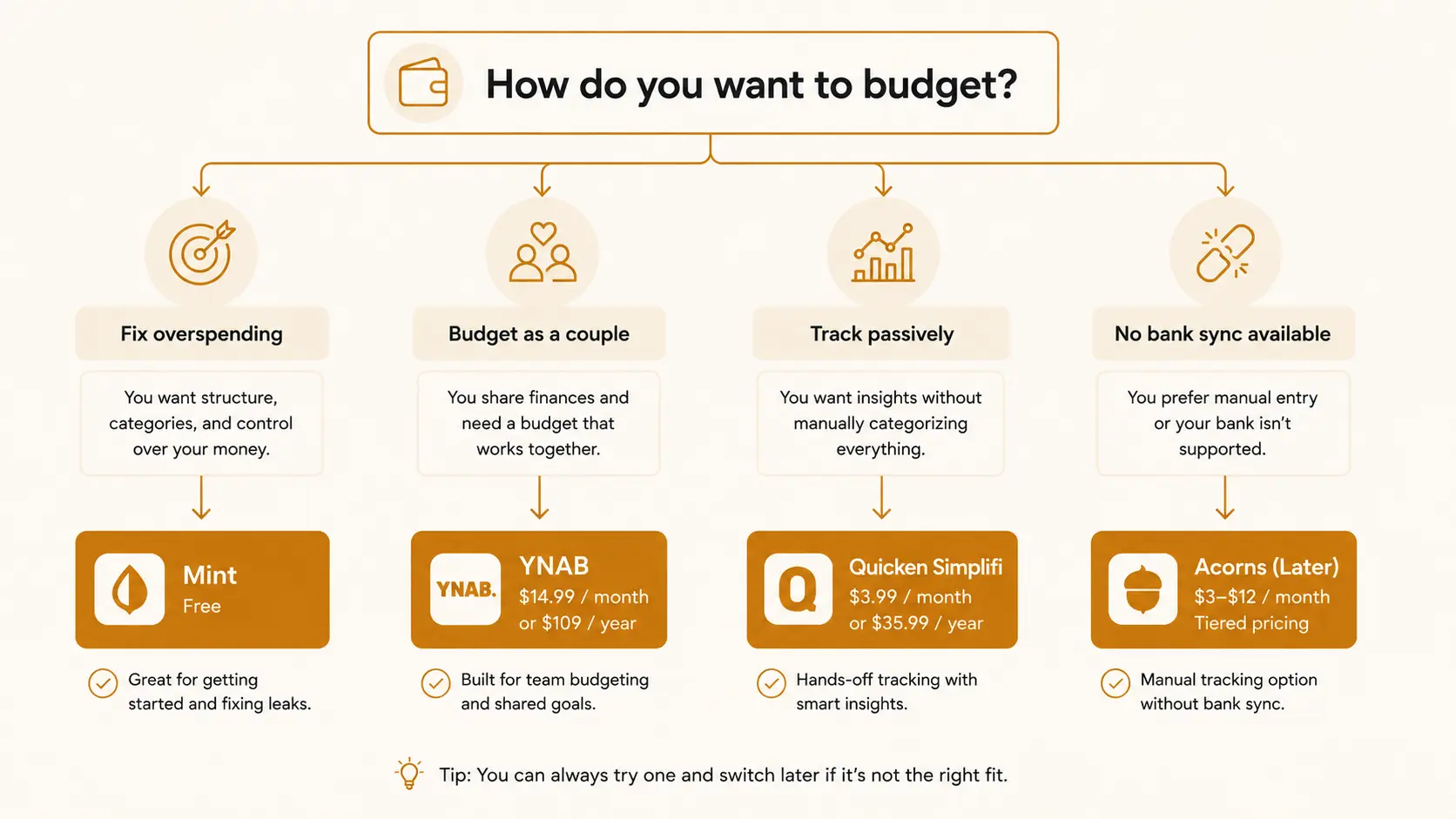
Match the app to the specific problem you're trying to solve — overspending, shared visibility, forgotten subscriptions, or simply wanting a free option — rather than to whichever app has the most features.
The Catch Most Reviews Skip: International Bank Sync
YNAB, Monarch Money, Copilot, Rocket Money, Simplifi, and PocketGuard all depend on a third-party service called Plaid to automatically pull in your bank transactions, and Plaid's real-world coverage is strongest in the US and Canada, with only limited support in the UK and parts of Europe, and minimal to no coverage across most of Asia, Africa, Latin America, and Oceania.[2] If your bank isn't supported, automatic syncing either fails outright or connects unreliably enough to be unusable day to day.
This is a genuinely common gap: readers in India, Southeast Asia, the Middle East, and most of Latin America regularly find that the app they read about doesn't actually connect to their bank at all, and discover this only after signing up and starting a subscription.
The Bank-Agnostic Alternative
If automatic sync isn't available in your country, manual entry isn't a downgrade — it's the only option that works everywhere, and a well-designed one still gets you a complete budget. Goodbudget and EveryDollar are built around manual, envelope-style entry from the start, so they work identically whether your bank is in Mumbai, Manila, or Minneapolis.
For a completely free, no-signup option that works the same way in any country, The Flex Cult's own Budget Planner uses the same manual-entry, zero-based logic as the paid apps above — assign every dollar of income to a category before you spend it — without depending on a bank connection at all.
How to Actually Decide
- Check bank-sync coverage first, before comparing features. Search "[your bank name] + Plaid" or try the app's free trial before subscribing — a beautiful interface is worthless if it can't see your transactions.
- Start with a free tier or trial. Rocket Money, Goodbudget, and EveryDollar all have genuine free tiers; YNAB and Monarch offer trial periods. Test for at least two full pay cycles before committing to annual billing.
- Match the method to your actual problem. Overspending calls for zero-based budgeting (YNAB); wanting visibility without effort calls for passive tracking (Rocket Money, PocketGuard).
- Don't pay for features you won't use. If you're budgeting solo with a simple paycheck-to-expenses flow, Simplifi or a free manual tool likely does everything YNAB does, at a fraction of the cost.
- Revisit annually. This category changes fast — new entrants, price increases, and shutdowns (see: Mint) are common enough that it's worth re-checking your choice once a year, the same way you'd check your credit report periodically.
Common Mistakes
- Picking whatever tops a "best of" list without checking bank-sync coverage. Most of those lists are written for a US audience and don't flag the international limitation at all.
- Paying for a premium tier before testing the free version. Several of these apps have a genuinely usable free tier — start there and upgrade only once you know you'll stick with it.
- Choosing based on interface polish alone. A beautifully designed app that can't reliably see your transactions is less useful than a plain one that can.
- Assuming automatic tracking replaces a plan. Passive apps like Rocket Money show you what happened; they don't stop you from overspending the way a zero-based method does.
- Forgetting to cancel a trial before it converts to an annual charge. Several of these apps default to annual billing after a short trial — set a calendar reminder before signing up.
Final Thoughts
None of these seven apps is universally "the best" — the honest answer to "which budgeting app should I use" is always "it depends on how you spend, whether you're budgeting alone or with a partner, and whether your bank actually syncs." YNAB earns its reputation for changing overspending habits. Monarch Money earns its reputation with couples. Rocket Money and PocketGuard suit people who want visibility without active planning. And for the large number of readers outside the US and Canada where automatic sync simply doesn't work, a manual, bank-agnostic tool isn't a fallback — it's the more reliable choice from the start.
The best budgeting app is the one you'll actually still be using in three months. Every feature comparison is secondary to that.
Once your budget is set up in whichever tool fits, the next step for most people is building a cash buffer — the emergency fund guide covers how much to hold and where to keep it. And if debt payoff is part of your budget, debt snowball vs. avalanche breaks down the two most common payoff strategies these apps can help you track.
Sources
[1] Mint shutdown and migration to Credit Karma, Intuit, January 2024. Available at: nerdwallet.com
[2] Plaid's international bank-sync coverage and limitations for non-US/Canada users. Available at: monavio.app
[3] Best budgeting apps of 2026, tested and ranked. Available at: forbes.com
[4] Best budgeting apps pricing and feature comparison, 2026. Available at: cnbc.com